Ways in and out of your workspace.
A GraphQL API over the schema the product itself runs on, reachable with workspace-scoped keys, for reading your data and writing to it. CSV export where a file is enough. Webhooks and delivery to Slack and Microsoft Teams are on the way.
Things worth wiring up first.
Everything below is possible today, with a key and a few hours. None of it needs a connector from us.
- Flag work owned by someone who is away. Check who is out, then mark their open tickets or issues so a dashboard can surface the ones whose owner will not be reading them. Support teams tend to want this first, because the alternative is a customer waiting three days on a ticket nobody is watching.
- Let leave arrive from wherever it is approved. When a request is signed off in an HR system, write it straight onto the timeline. The people planning coverage see it without anyone being asked to enter it twice.
- Bring a rota in from the tool that builds it. Shift patterns planned in a workforce tool can be written in as events, so coverage reflects the schedule your team actually works rather than a copy of it.
- Put coverage in the dashboard you already look at. Query forward coverage through the API, or pull the underlying events, and set the figure against ticket volume, headcount or whatever your team is measured on, in the place where those numbers already live.
The same API the product runs on.
The Temprix app is a GraphQL client of the same schema you get a key for. Anything the app does with the data in your workspace, a key can do from anywhere else, carrying the permissions of the member who created it.
Which makes it useful in both directions: availability out, into whatever you already report on, and absences in, from wherever they are approved. Creating a workspace, renaming it, deleting it and anything to do with billing stay in the app.
- Read what the product reads. Events, members, teams, event types and categories, and forward coverage, with each occurrence of a recurring series returned in its own right. The reports in the product are a starting point, not the limit of what you can build on the same data.
- Write into Temprix from your own systems. Create, update, confirm and delete events, recurring series included, so an approval in an HR system, a rota built in a workforce tool or an onboarding script can populate the timeline without anyone opening the app.
- Read-only by default. Keys are created read-only; write access can be granted when a system needs to push data in.
- Access ends when the member's does. Deactivating a member revokes every key they created, automatically, and reactivating them does not bring the keys back. Keys can also be revoked one at a time, by the owner or a workspace administrator, and the secret is stored as a hash and shown once.
- Changes are attributable. Anything written over the API lands in the audit log like any other change in the workspace, recorded against the member whose key was used. More on Security.
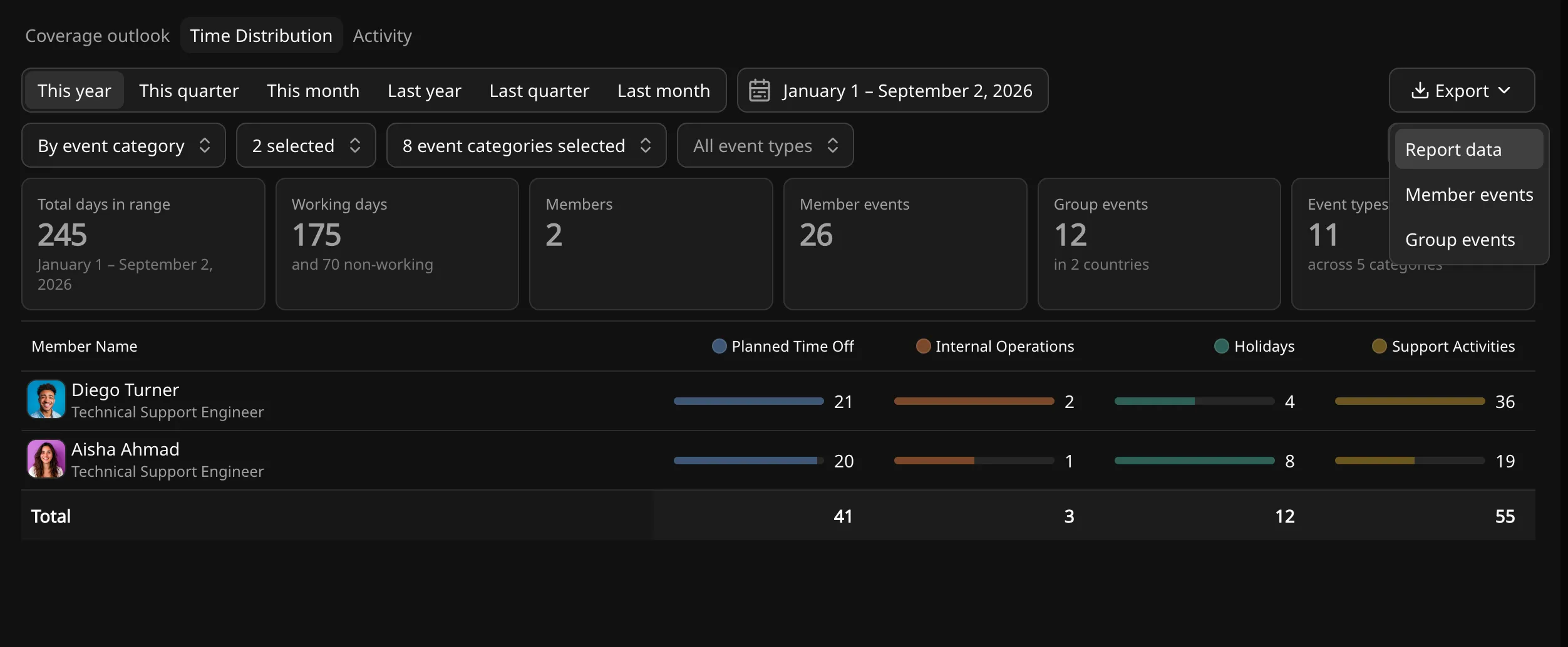
Export the report, or the data behind it.
Reports export to CSV from the toolbar, with no setup and nothing to authorise. The export takes the view as you have filtered it rather than the whole table, so the file matches what is on screen.
- Take the calculated figures, not just the rows. Coverage and computed availability export as the report presents them, so a dashboard built elsewhere does not have to reproduce how they were worked out.
- Or take the data underneath. The same export offers the records the figures were derived from, for when you would rather aggregate it yourself.
- Load it wherever your numbers already live. Plain CSV, so a spreadsheet, a BI tool or a warehouse ingest takes it without a connector, a credential or anything to maintain.
Webhooks and chat delivery, next.
Everything above is available today. Next are webhooks, on event changes and on member events starting and ending, and delivery to Slack and Microsoft Teams alongside email. Neither has been built yet.
Beyond those, the list is open: automation platforms, an MCP server, and whatever else customers turn out to need. Anything that ships appears in the changelog, and on this page the same day.
Availability data is personal data. Where it lives, who can read it, and the audit log that records every key created and revoked.
Find out how many people you'll really have on the 14th.
Free for up to 10 people. No credit card.