

Event type policies
An event type policy is a rule on one event type that limits when it can be booked and for which members. Policies exist to protect coverage: a team that cannot absorb leave over a peak period, or that needs notice before planned absence, can say so in the product instead of in a chat message. They apply to member events only. Group events are not checked.
A policy checks a booking when it is saved. It does not remove or hide anything that already exists, and it does not decide who may take time off. Temprix is not a leave approval system, and a policy is a guard rail around booking.
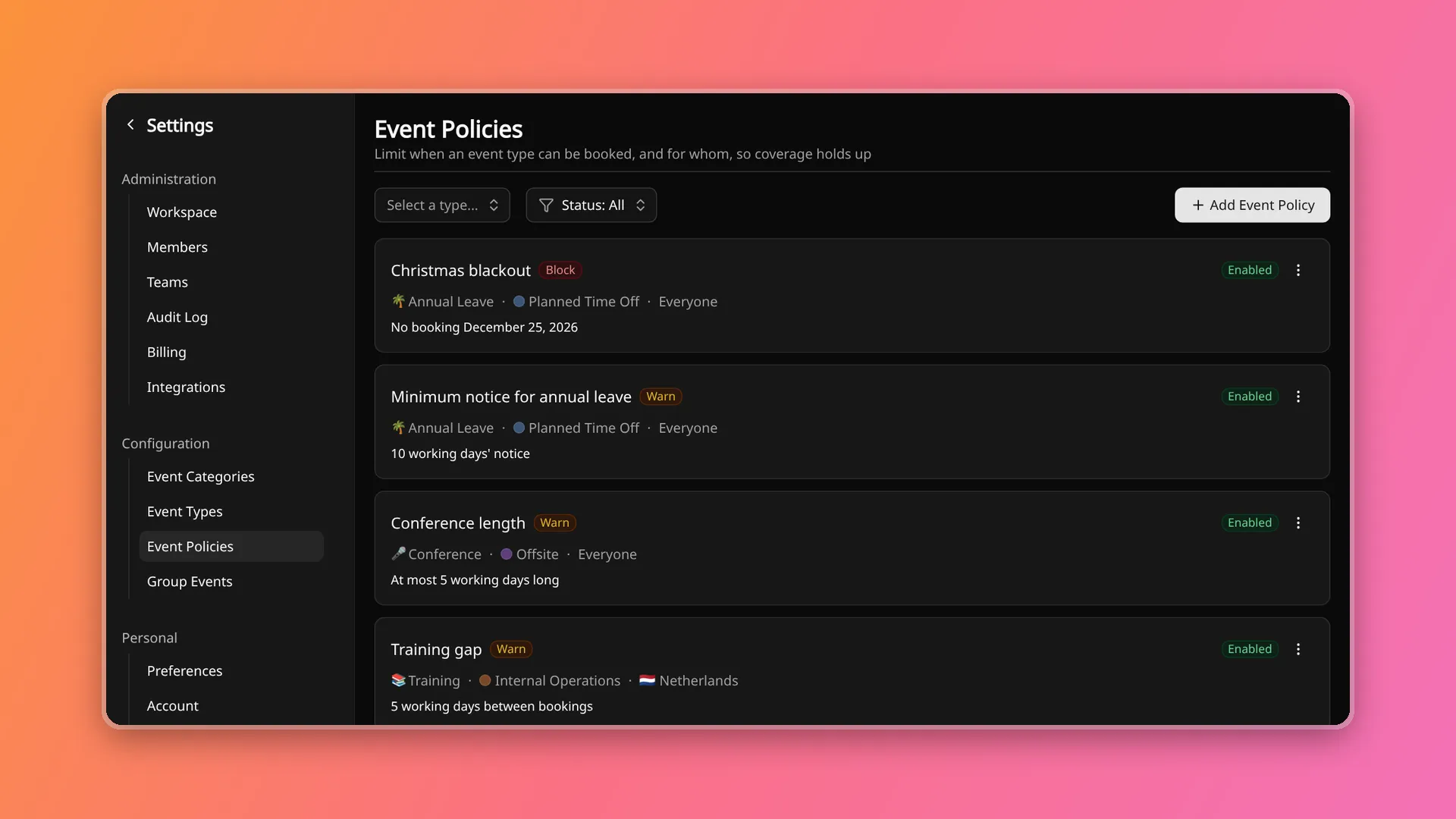
Where policies are managed
Section titled “Where policies are managed”Workspace administrators manage policies for workspace-level event types under Settings, then Event Policies. Policies for a team’s own event types are managed on that team, by the team’s owner and (on Business) its team admins, as well as workspace administrators. An event type’s settings page lists its policies and links to the same place. The event type list has a Policies column with the count.
A policy belongs to exactly one event type, and only member-scoped event types can have policies. An event type can have up to 25. A policy can be disabled without deleting it, and a disabled policy is not checked.
A policy needs at least one rule. Rules combine: a booking has to satisfy every rule that is set.
| Rule | What it limits |
|---|---|
| Blackout dates | Dates on which the event type cannot be booked. A booking that overlaps a blackout range breaks the rule. |
| Minimum length | The shortest a booking can be. |
| Maximum length | The longest a booking can be. |
| Gap between bookings | The minimum time between a booking and the member’s nearest other event of the same type. |
| Advance notice | The minimum number of days between the day the event is logged and its start date. |
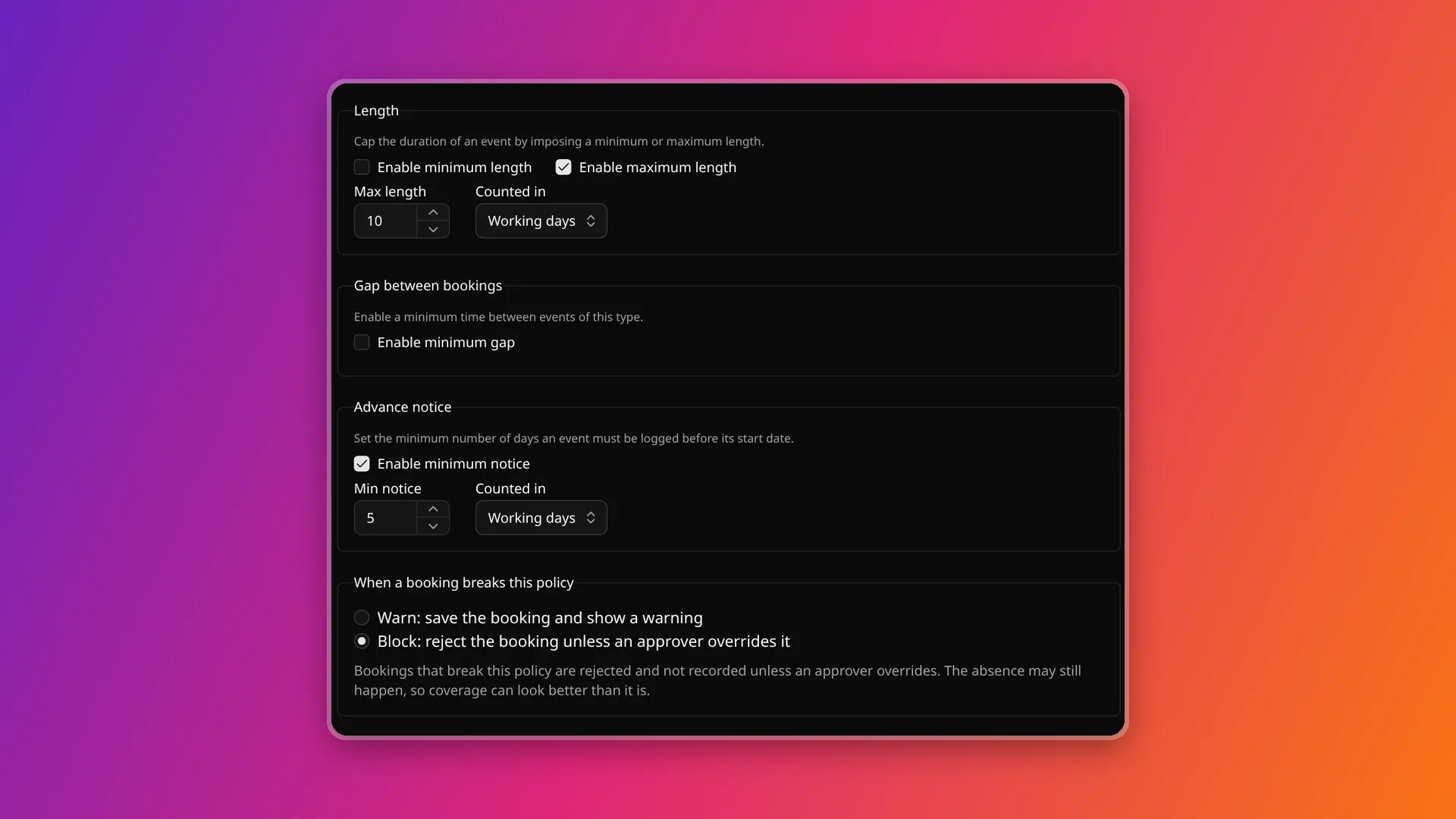
Working days and calendar days
Section titled “Working days and calendar days”Length, gap and advance notice are counted in whole days, from 1 to 3650. Each of the three has its own unit, working days or calendar days, and working days is the default.
Working days follow the same rule as coverage. A day is not a working day
for a member when it is one of their non-working weekdays, or when a group event with 0%
availability applies to them, such as a public holiday in their country. A notice of 5 working
days therefore reaches further into the calendar around a long weekend than it does in an ordinary
week.
Who a policy applies to
Section titled “Who a policy applies to”By default a policy applies to everyone. A selector narrows it by member attributes:
- Countries, and within them subdivisions.
- Job titles.
- Tags. A member must have every tag listed.
A member has to match every condition that is set. A list that is set matches any one of its values, so a policy on the countries Netherlands and Germany applies to members in either. A different group of members is a separate policy, because conditions cannot be combined with “or” or negated.
When several policies apply to the same booking, all of them are checked. Policies do not override one another, so the strictest limit decides.
Enforcement
Section titled “Enforcement”Each policy has an enforcement level that decides what happens when a booking breaks it.
| Level | What happens | Plans |
|---|---|---|
| Warn | The booking is saved. The form shows which policy it breaks. | Every plan |
| Block | The booking is rejected, unless an approver overrides the policy when saving. | Standard and higher |
A policy set to Block on a plan below Standard acts as Warn. The setting is kept and takes effect again after an upgrade. On Free every member is an administrator, so an override would be open to everyone, which is why blocking starts at Standard. Plans are on Pricing and billing is on Billing and plans.
When a booking breaks several policies, the strictest level among the policies it breaks decides. A booking that breaks one Warn policy and one Block policy is blocked.
Overriding a block
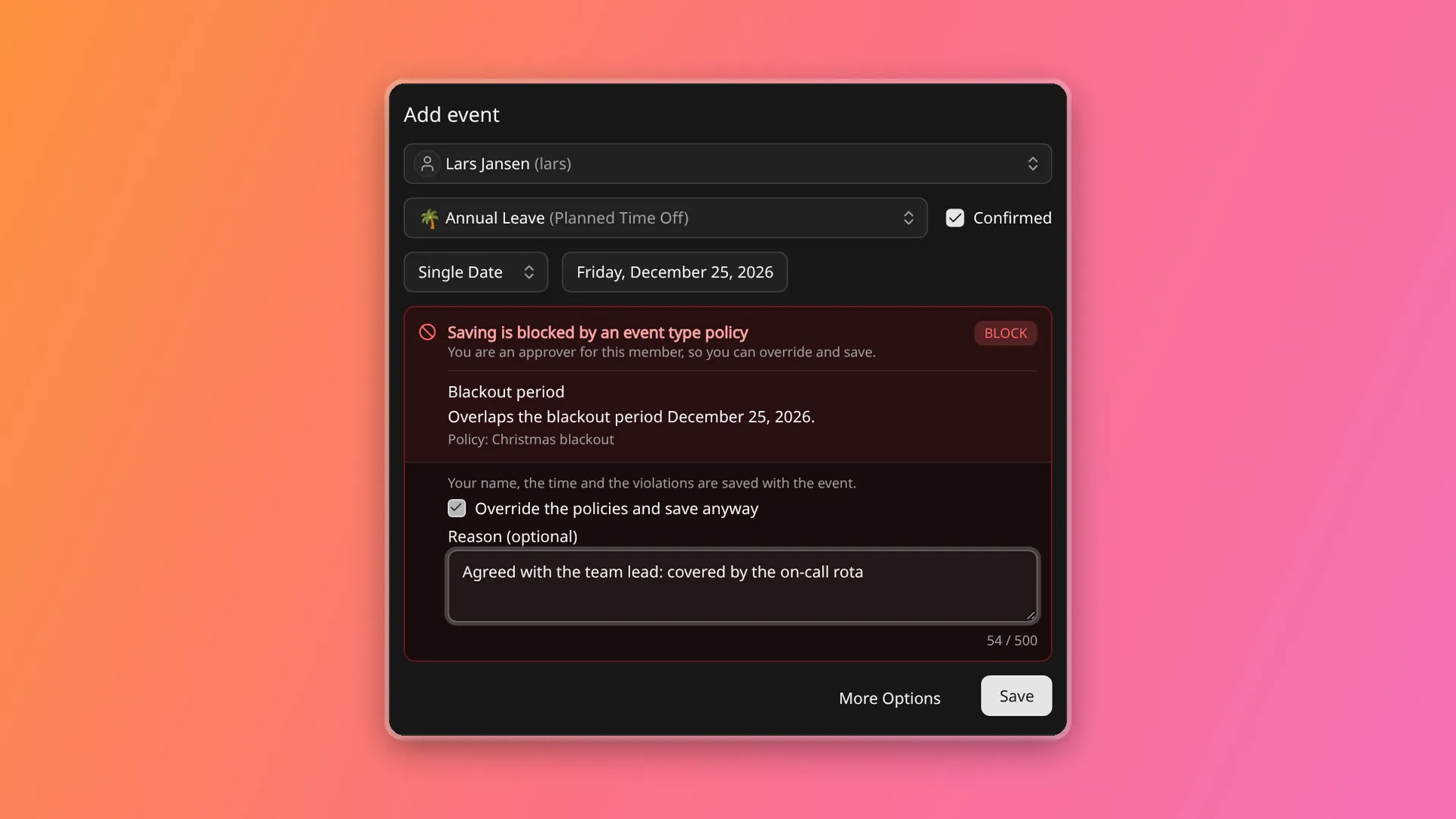
Section titled “Overriding a block”An approver can save a blocked booking by choosing to override the policies. The approver is one of:
- A workspace administrator.
- The owner of one of the member’s teams.
- On Business, a team admin of one of the member’s teams.
The override dialog takes an optional reason of up to 500 characters. The reason is free text and can contain personal data, as event notes can. Members who are not approvers see which policy blocks the booking and cannot save it.
What is recorded
Section titled “What is recorded”Every violation found when a booking is saved is stored on the event, Warn violations included, together with the time of the check. For an override, the event also stores who overrode the policies, when, and the reason if one was given. The record shows on the event in the timeline (a policy exception or policy override label) and in the event’s audit entry.
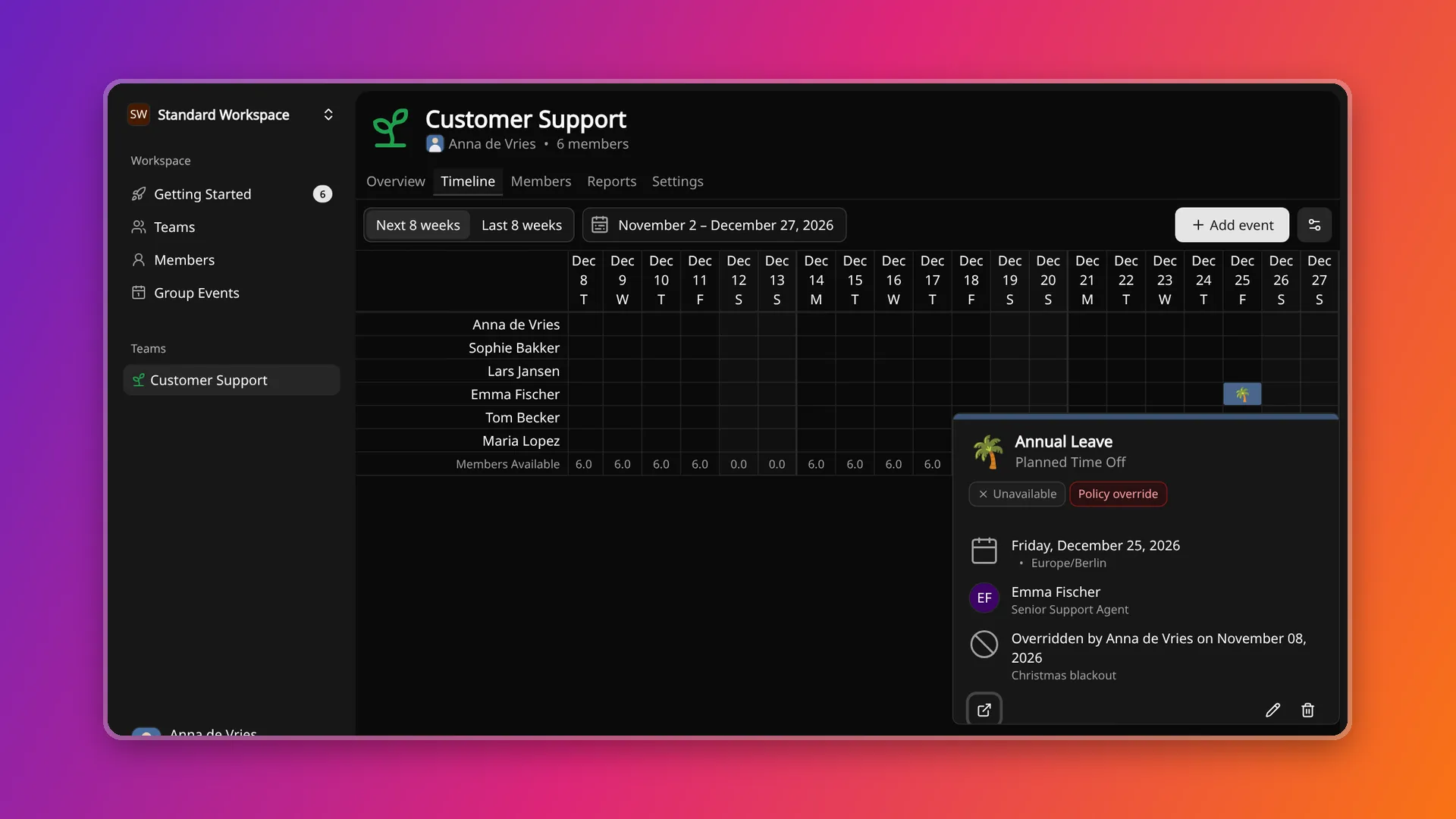
The record is a snapshot from the time of saving. Editing or deleting a policy later does not change it, and its absence means that nothing was recorded, not that the event complies. Policy changes themselves, such as creating, updating or deleting a policy, are in the audit log under configuration changes.
When a booking is checked
Section titled “When a booking is checked”A booking is checked when it is created, and when an edit changes its dates or recurrence. Changing the title, notes, availability or confirmation status is not checked, and neither is deleting an event.
The check is part of creating or updating the event, in the app and through the API alike. Existing events are never re-judged. Creating or tightening a policy does not flag or change events already on the timeline. An edit that only shortens an event passes even if the event breaks a rule, because it moves toward compliance.
For a recurring event, the check covers occurrences within two years of the first one. Editing a whole series or from one occurrence onward judges occurrences from today onward and never the ones in the past. Editing a single occurrence judges only that occurrence.
What “today” means
Section titled “What “today” means”Advance notice counts from the current date in the time zone stored on the event, and the same date marks the point from which a series edit is judged. The app or API client that creates the event sets that time zone. Near midnight, the zone chosen can move “today” by a day, which changes the notice by up to a day. That also holds under Block.
In the booking form
Section titled “In the booking form”In the form for adding or editing a member event, the check runs after the dates, event type, member or recurrence change, and only for event types that have policies. A Warn result is an amber notice listing each rule broken: the rule, the limit, the booking’s value, and the policy name. Saving stays available.
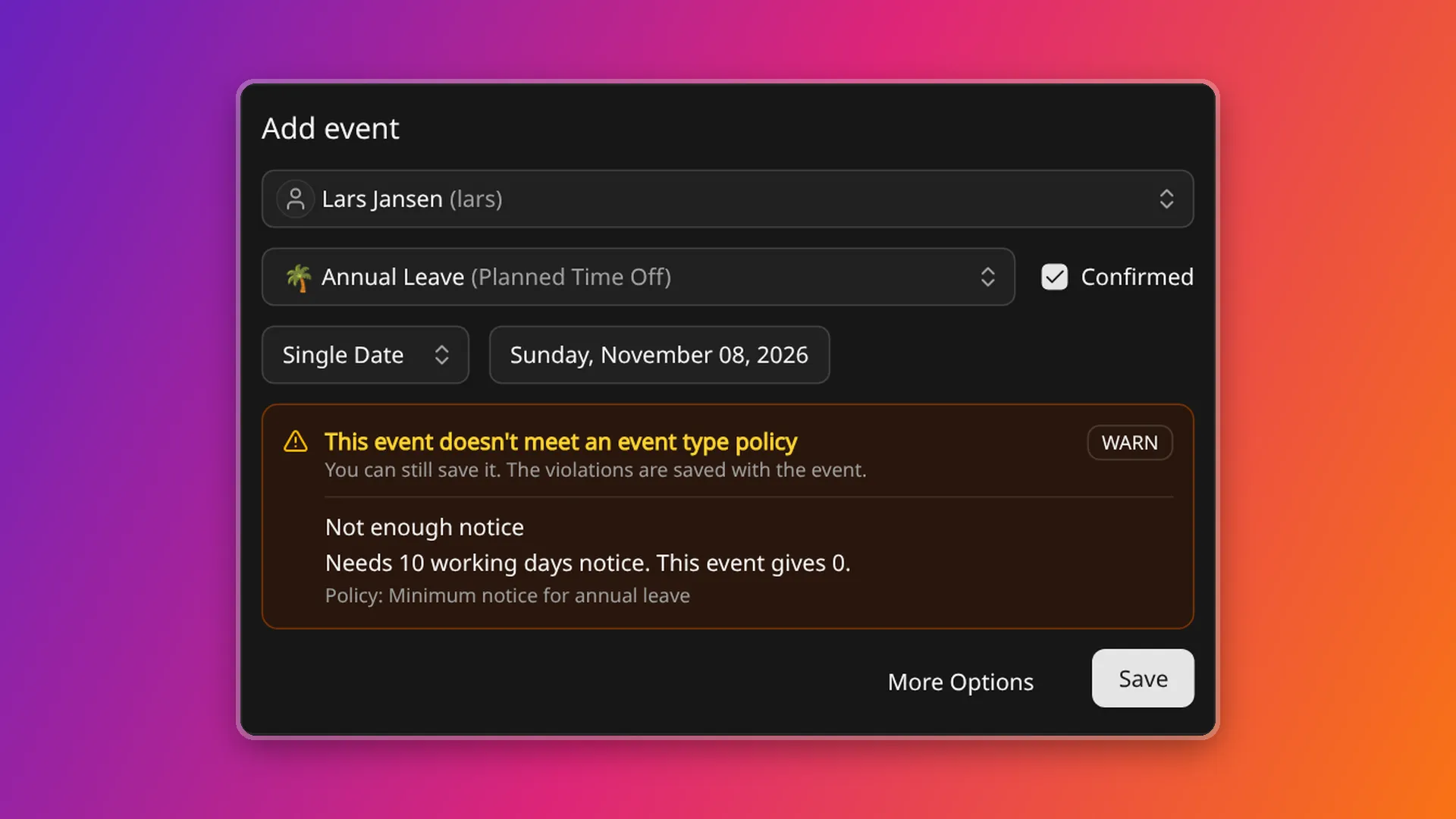
A Block result is a red notice. For an approver it carries the override checkbox and the optional reason, and for anyone else it explains who can override.
The same check is available to API clients, and API keys are checked as the member who created them. See API keys and Conventions.
Checking before saving
Section titled “Checking before saving”The memberEventPolicyCheck query runs the check without saving anything. For a new booking it
takes memberId and eventTypeId. For an edit it takes eventId and, for a recurring event, the
flag that updateMemberEvent uses. Both take the full proposed startDate, endDate,
timeZone and recurrence, never a patch.
It returns:
| Field | Meaning |
|---|---|
checked |
false when nothing was checked: the event type has no policies, or the edit changes neither dates nor recurrence. |
violations |
One entry per broken rule, with the policy id and name, a code, the dates and number of occurrences affected, the limit, the actual value, the unit, and the enforcement level in force. |
enforcement |
The strictest level among the broken policies on the workspace’s plan. null when nothing is broken. |
canOverride |
true only for a BLOCK result that the caller may override. |
Violation codes (PolicyViolationCode) are BLACKOUT, ADVANCE_NOTICE, MIN_LENGTH, MAX_LENGTH and MIN_GAP. More
codes can be added later, so a client should treat an unknown code as a general violation.
Saving a blocked booking
Section titled “Saving a blocked booking”createMemberEvent and
updateMemberEvent run the same check, and a blocked booking fails with
the error code POLICY_VIOLATION. The error carries the violations and canOverride. Resend the
request with overridePolicies: true, and optionally policyOverrideReason, to override. Only an
approver may do so. Anyone else gets an Unauthorized error with the code
POLICY_OVERRIDE_DENIED. A reason over 500 characters is a ValidationError.
overridePolicies is ignored when nothing blocks the booking. Existing integrations see
POLICY_VIOLATION only after a workspace sets a policy to Block. On a plan below Standard no
booking is rejected for policy reasons.
Reading policies
Section titled “Reading policies”eventTypePolicies lists policies, filtered by event type id with eventTypeIdIn. It paginates
like the other lists: keep requesting until nextToken is null. See
Pagination.
Related pages
Section titled “Related pages”- Event categories and types is where the event types that policies attach to are configured.
- Member events is how the bookings that policies check are logged.
- How coverage is calculated defines the working days that policies count.
- Audit log records policy changes and policy overrides.
- Limits lists the numbers that apply to policies.