

Activity report
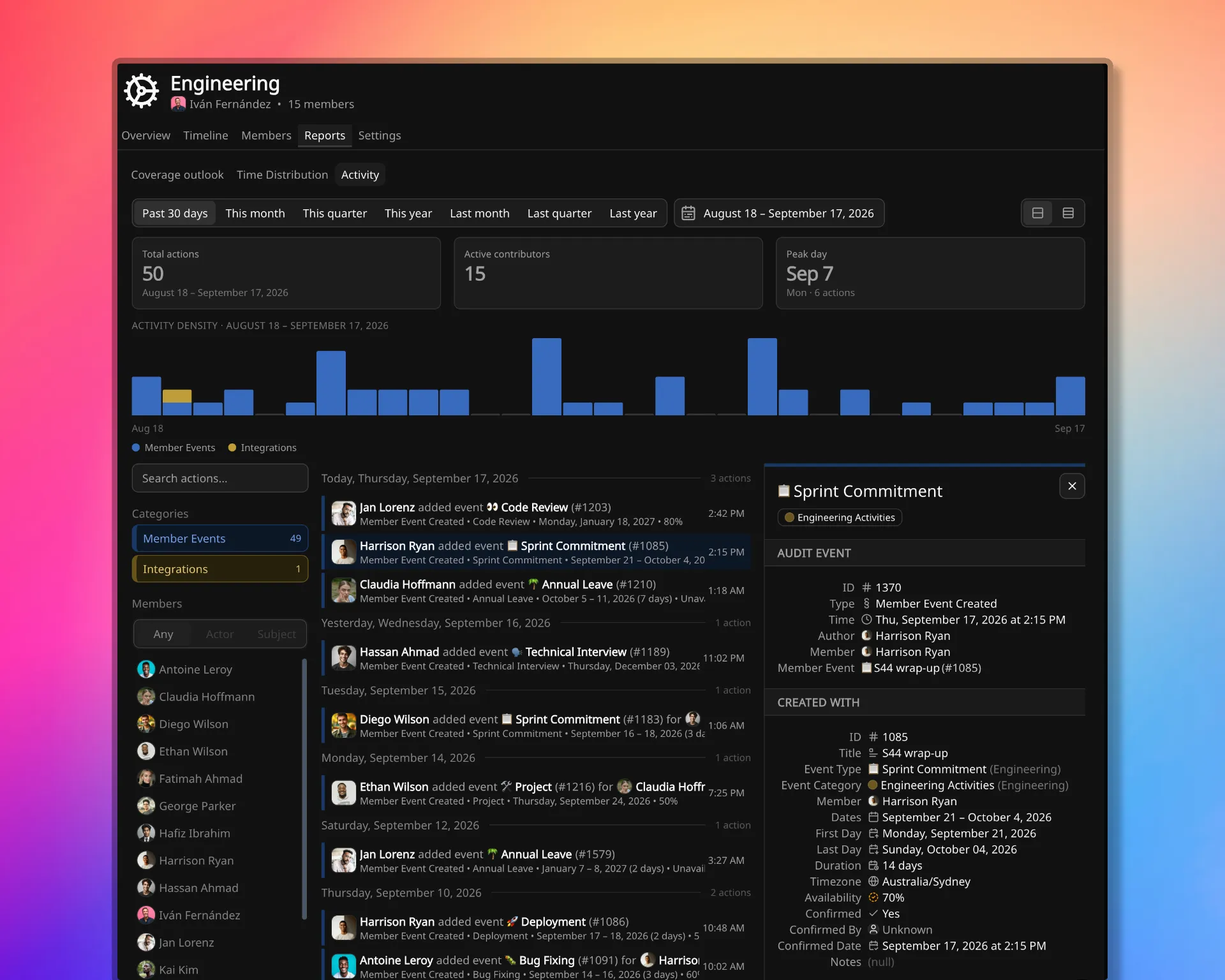
Activity records who made a change and what the previous value was.
Availability data is personal data. Creates, updates, and deletes across members, events, teams, event types, alert rules, and workspace administration are written as they happen. Activity is the attribution record. It does not show coverage or how time was spent.
The same records are read at three levels: a team, one member, or the whole workspace. The workspace-wide view is the Audit log under Settings. This page is Activity on a team and on a member.
Scopes
Section titled “Scopes”The matching scope is the one that answers the question.
- A team. What changed for this team in a period: events on its members, membership, team settings, team notification rules, and team event types. Activity is under the team’s Reports.
- One member. What happened to this person, and what they themselves changed, including changes they made about other people. Activity is a tab on the member profile.
- The workspace. The full record, including group events and API keys. That view is the Audit log.
A team Activity list does not include group events. Those have no team or member scope on the record, so they appear on the workspace Audit log, and on a member’s Activity only when that person made the change.
What a change holds
Section titled “What a change holds”Each record names who acted and, when the change is about someone else, who it was about. Those are different roles: the actor made the change; the subject is who it concerned. The list can be restricted to a person as actor, as subject, or as either, depending on whether the question is who edited a record or what was done to a person.
An update stores the previous value alongside the new one. Both values are visible, not only that something changed.
A create stores a snapshot of what was written. A delete stores the last state. The audit row and the entity have separate IDs: creating a member event writes one audit ID and a different member-event ID.
The list can also be restricted to a kind of change (member events, group events, members, configuration, and when they are in range, team, workspace, and integrations) and to any inclusive date span. The default span is the past 30 days.
This report does not export to CSV. Spreadsheet downloads are available from Coverage Outlook, Time Distribution, and a member’s Events report.
How long it is kept
Section titled “How long it is kept”Activity entries are kept for 6 months on the Free plan, and unlimited on paid plans. Retention by plan is listed on pricing.
Related pages
Section titled “Related pages”- Audit log is the workspace-scoped view of the same records.
- Member Events report lists a person’s events in a range, not this change history.
- Time Distribution attributes how time was spent, not who edited what.